로딩중...
검색중...
일치하는것 없음
Dreamine.UI.Wpf.Controls.DreamineTextBox 클래스 참조
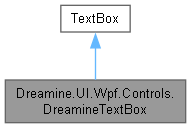
Dreamine.UI.Wpf.Controls.DreamineTextBox에 대한 상속 다이어그램 :
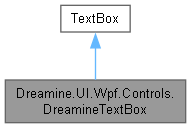
Dreamine.UI.Wpf.Controls.DreamineTextBox에 대한 협력 다이어그램:
Public 멤버 함수 | |
| DreamineTextBox () | |
정적 Public 멤버 함수 | |
| static void | SetCommandTriggerName (DependencyObject obj, string value) |
| static string | GetCommandTriggerName (DependencyObject obj) |
| static void | SetCommand (DependencyObject obj, ICommand value) |
| static ICommand | GetCommand (DependencyObject obj) |
| static void | SetCommandParameter (DependencyObject obj, object value) |
| static object | GetCommandParameter (DependencyObject obj) |
정적 Public 속성 | |
| static readonly DependencyProperty | CommandProperty |
| static readonly DependencyProperty | CommandParameterProperty |
| static readonly DependencyProperty | CommandTriggerNameProperty |
| static readonly DependencyProperty | HintProperty |
| static readonly DependencyProperty | ErrorProperty |
Protected 멤버 함수 | |
| override void | OnPreviewKeyDown (KeyEventArgs e) |
속성 | |
| string | Hint [get, set] |
| string | Error [get, set] |
Private 멤버 함수 | |
| void | OnGotKeyboardFocus_StorePreviousFocus (object sender, KeyboardFocusChangedEventArgs e) |
| UIElement? | FindFirstFocusableChild (DependencyObject parent) |
정적 Private 멤버 함수 | |
| static | DreamineTextBox () |
| static void | OnCommandChanged (DependencyObject d, DependencyPropertyChangedEventArgs e) |
| static void | TryExecuteCommand (DependencyObject d, string eventName, RoutedEventArgs eventArgs) |
Private 속성 | |
| IInputElement? | _previousFocusedElement |
상세한 설명
스타일 병합, 연결 명령 및 Enter 키 포커스 복귀 기능을 제공하는 텍스트 상자입니다.
DreamineTextBox.cs 파일의 24 번째 라인에서 정의되었습니다.
생성자 & 소멸자 문서화
◆ DreamineTextBox() [1/2]
|
inlinestaticprivate |
기본 스타일 키를 등록하고 텍스트 상자 테마 리소스를 애플리케이션에 한 번 병합합니다.
DreamineTextBox.cs 파일의 44 번째 라인에서 정의되었습니다.
45 {
46 DefaultStyleKeyProperty.OverrideMetadata(typeof(DreamineTextBox),
47 new FrameworkPropertyMetadata(typeof(DreamineTextBox)));
48
49 var uri = new Uri("/Dreamine.UI.Wpf.Themes;component/DreamineTextBoxStyle.xaml", UriKind.RelativeOrAbsolute);
50
51 if (Application.Current != null)
52 {
53 bool alreadyAdded = Application.Current.Resources.MergedDictionaries
54 .OfType<ResourceDictionary>()
55 .Any(x => x.Source != null && x.Source.Equals(uri));
56
57 if (!alreadyAdded)
58 {
59 var dict = new ResourceDictionary { Source = uri };
60 Application.Current.Resources.MergedDictionaries.Add(dict);
61 }
62 }
63 }
다음을 참조함 : DreamineTextBox().
다음에 의해서 참조됨 : DreamineTextBox().
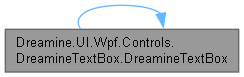
이 함수 내부에서 호출하는 함수들에 대한 그래프입니다.:
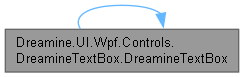
이 함수를 호출하는 함수들에 대한 그래프입니다.:
◆ DreamineTextBox() [2/2]
|
inline |
새 인스턴스를 만들고 키보드 포커스 변경 이벤트를 구독합니다.
컨트롤 자체의 이벤트를 사용하여 창 단위 구독에 따른 중복과 수명 문제를 피합니다.
DreamineTextBox.cs 파일의 81 번째 라인에서 정의되었습니다.
82 {
83 // \brief Enter 복귀를 위해 이전 포커스 저장
84 GotKeyboardFocus += OnGotKeyboardFocus_StorePreviousFocus;
85 }
다음을 참조함 : OnGotKeyboardFocus_StorePreviousFocus().
이 함수 내부에서 호출하는 함수들에 대한 그래프입니다.:

멤버 함수 문서화
◆ FindFirstFocusableChild()
|
inlineprivate |
시각적 자식 트리를 깊이 우선으로 탐색하여 첫 포커스 가능 요소를 찾습니다.
- 매개변수
-
parent 탐색을 시작할 시각적 부모입니다.
- 반환값
- 표시되고 활성화된 첫 포커스 가능 요소이며, 없으면
null입니다.
- 예외
-
ArgumentNullException parent 가 null일 때 발생합니다.
DreamineTextBox.cs 파일의 242 번째 라인에서 정의되었습니다.
243 {
244 for (int i = 0; i < VisualTreeHelper.GetChildrenCount(parent); i++)
245 {
246 var child = VisualTreeHelper.GetChild(parent, i);
247
248 if (child is UIElement uie && uie.Focusable && uie.IsVisible && uie.IsEnabled)
249 return uie;
250
251 var result = FindFirstFocusableChild(child);
252 if (result != null)
253 return result;
254 }
255 return null;
256 }
다음을 참조함 : FindFirstFocusableChild().
다음에 의해서 참조됨 : FindFirstFocusableChild(), OnGotKeyboardFocus_StorePreviousFocus().
이 함수 내부에서 호출하는 함수들에 대한 그래프입니다.:
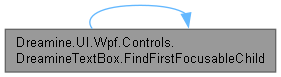
이 함수를 호출하는 함수들에 대한 그래프입니다.:

◆ GetCommand()
|
inlinestatic |
지정한 객체에 연결된 명령을 가져옵니다.
- 매개변수
-
obj 값을 읽을 종속성 객체입니다.
- 반환값
- 연결된 명령입니다.
- 예외
-
ArgumentNullException obj 가 null일 때 발생합니다.InvalidCastException 저장된 값이 ICommand로 변환될 수 없을 때 발생합니다.
DreamineTextBox.cs 파일의 452 번째 라인에서 정의되었습니다.
453 => (ICommand)obj.GetValue(CommandProperty);
다음을 참조함 : CommandProperty.
다음에 의해서 참조됨 : TryExecuteCommand().
이 함수를 호출하는 함수들에 대한 그래프입니다.:

◆ GetCommandParameter()
|
inlinestatic |
지정한 객체의 명령 매개변수를 가져옵니다.
- 매개변수
-
obj 값을 읽을 종속성 객체입니다.
- 반환값
- 구성된 명령 매개변수입니다.
- 예외
-
ArgumentNullException obj 가 null일 때 발생합니다.
DreamineTextBox.cs 파일의 522 번째 라인에서 정의되었습니다.
523 => obj.GetValue(CommandParameterProperty);
다음을 참조함 : CommandParameterProperty.
다음에 의해서 참조됨 : TryExecuteCommand().
이 함수를 호출하는 함수들에 대한 그래프입니다.:

◆ GetCommandTriggerName()
|
inlinestatic |
지정한 객체의 명령 트리거 이름 목록을 가져옵니다.
- 매개변수
-
obj 값을 읽을 종속성 객체입니다.
- 반환값
- 쉼표로 구분한 이벤트 이름 목록입니다.
- 예외
-
ArgumentNullException obj 가 null일 때 발생합니다.
DreamineTextBox.cs 파일의 374 번째 라인에서 정의되었습니다.
375 => (string)obj.GetValue(CommandTriggerNameProperty);
다음을 참조함 : CommandTriggerNameProperty.
다음에 의해서 참조됨 : TryExecuteCommand().
이 함수를 호출하는 함수들에 대한 그래프입니다.:

◆ OnCommandChanged()
|
inlinestaticprivate |
명령 속성이 변경되면 지원되는 입력 및 텍스트 이벤트 처리기를 등록합니다.
- 매개변수
-
d 명령 속성이 변경된 객체입니다. e 이전 값과 새 값을 포함하는 속성 변경 데이터입니다.
현재 구현은 변경될 때마다 처리기를 추가하므로 호출 측에서 반복 설정을 피해야 합니다.
DreamineTextBox.cs 파일의 557 번째 라인에서 정의되었습니다.
558 {
559 if (d is not UIElement element)
560 return;
561
562 element.AddHandler(UIElement.PreviewMouseUpEvent, new MouseButtonEventHandler((s, args) =>
563 {
564 TryExecuteCommand(d, "PreviewMouseUp", args);
565 }), true);
566
567 element.AddHandler(Control.MouseDoubleClickEvent, new MouseButtonEventHandler((s, args) =>
568 {
569 TryExecuteCommand(d, "MouseDoubleClick", args);
570 }), true);
571
572 element.AddHandler(UIElement.PreviewKeyDownEvent, new KeyEventHandler((s, args) =>
573 {
574 // \brief 기존 규칙 유지: PreviewKeyDown 훅이지만 이름은 "PreviewKeyUp"
575 TryExecuteCommand(d, "PreviewKeyUp", args);
576 }), true);
577
578 element.AddHandler(UIElement.TouchUpEvent, new EventHandler<TouchEventArgs>((s, args) =>
579 {
580 TryExecuteCommand(d, "TouchUp", args);
581 }));
582
583 element.AddHandler(ButtonBase.ClickEvent, new RoutedEventHandler((s, args) =>
584 {
585 TryExecuteCommand(d, "Click", args);
586 }));
587
588 element.AddHandler(TextBox.TextChangedEvent, new TextChangedEventHandler((s, args) =>
589 {
590 TryExecuteCommand(d, "TextChanged", args);
591 }));
592 }
다음을 참조함 : TryExecuteCommand().
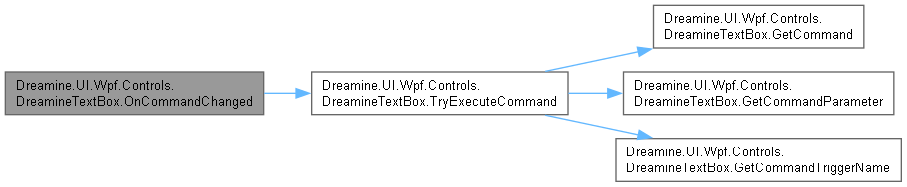
이 함수 내부에서 호출하는 함수들에 대한 그래프입니다.:
◆ OnGotKeyboardFocus_StorePreviousFocus()
|
inlineprivate |
키보드 포커스를 얻기 직전의 유효한 포커스 대상을 저장합니다.
- 매개변수
-
sender 이벤트를 발생시킨 객체입니다. e 이전 및 새 키보드 포커스 정보를 포함하는 이벤트 데이터입니다.
DreamineTextBox.cs 파일의 111 번째 라인에서 정의되었습니다.
112 {
113 // \brief OldFocus가 Window/ContentControl로 들어오는 경우가 있으므로 교정
114 var old = e.OldFocus;
115
116 if (old is null)
117 {
118 _previousFocusedElement = null;
119 return;
120 }
121
122 if (ReferenceEquals(old, this))
123 {
124 // \brief 자기 자신이면 의미 없음
125 return;
126 }
127
128 if (old is DependencyObject dobj)
129 {
130 if (old is Window || old is ContentControl)
131 {
132 var child = FindFirstFocusableChild(dobj);
133 _previousFocusedElement = child ?? old;
134 return;
135 }
136 }
137
138 _previousFocusedElement = old;
139 }
다음을 참조함 : _previousFocusedElement, FindFirstFocusableChild().
다음에 의해서 참조됨 : DreamineTextBox().
이 함수 내부에서 호출하는 함수들에 대한 그래프입니다.:

이 함수를 호출하는 함수들에 대한 그래프입니다.:

◆ OnPreviewKeyDown()
|
inlineprotected |
Enter 키 입력을 처리한 뒤 이전 포커스 대상으로 비동기 복귀합니다.
- 매개변수
-
e 누른 키와 처리 상태를 포함하는 키 이벤트 데이터입니다.
- 예외
-
ArgumentNullException e 가 null일 때 기본 구현에서 발생할 수 있습니다.
포커스 이동 실패는 입력 흐름을 중단하지 않도록 의도적으로 무시합니다.
DreamineTextBox.cs 파일의 173 번째 라인에서 정의되었습니다.
174 {
175 base.OnPreviewKeyDown(e);
176
177 if (e.Key != Key.Enter)
178 return;
179
180 var target = _previousFocusedElement;
181
182 if (target == null || ReferenceEquals(target, this))
183 return;
184
185 // \brief Enter 키 입력은 여기서 소비
186 e.Handled = true;
187
188 // \brief 이벤트 파이프라인/내부 TextBox 처리 후 포커스 이동
189 Dispatcher.BeginInvoke(new Action(() =>
190 {
191 try
192 {
193 // \brief UIElement이면 Focus()가 더 잘 먹는 경우가 많음
194 if (target is UIElement uie)
195 {
196 uie.Focus();
197 Keyboard.Focus(uie);
198 return;
199 }
200
201 Keyboard.Focus(target);
202 }
203 catch
204 {
205 // \brief 포커스 실패는 치명적이지 않으므로 무시(정책에 맞게 로그로 바꿔도 됨)
206 }
207 }), System.Windows.Threading.DispatcherPriority.Input);
208 }
다음을 참조함 : _previousFocusedElement.
◆ SetCommand()
|
inlinestatic |
지정한 객체에 연결 명령을 설정합니다.
- 매개변수
-
obj 값을 설정할 종속성 객체입니다. value 실행할 명령입니다.
- 예외
-
ArgumentNullException obj 가 null일 때 발생합니다.
DreamineTextBox.cs 파일의 409 번째 라인에서 정의되었습니다.
410 => obj.SetValue(CommandProperty, value);
다음을 참조함 : CommandProperty.
◆ SetCommandParameter()
|
inlinestatic |
지정한 객체에 명령 매개변수를 설정합니다.
- 매개변수
-
obj 값을 설정할 종속성 객체입니다. value 명령에 전달할 값입니다.
- 예외
-
ArgumentNullException obj 가 null일 때 발생합니다.
DreamineTextBox.cs 파일의 487 번째 라인에서 정의되었습니다.
488 => obj.SetValue(CommandParameterProperty, value);
다음을 참조함 : CommandParameterProperty.
◆ SetCommandTriggerName()
|
inlinestatic |
지정한 객체의 명령 트리거 이름 목록을 설정합니다.
- 매개변수
-
obj 값을 설정할 종속성 객체입니다. value 쉼표로 구분한 이벤트 이름 목록입니다.
- 예외
-
ArgumentNullException obj 가 null일 때 발생합니다.
DreamineTextBox.cs 파일의 339 번째 라인에서 정의되었습니다.
340 => obj.SetValue(CommandTriggerNameProperty, value);
다음을 참조함 : CommandTriggerNameProperty.
◆ TryExecuteCommand()
|
inlinestaticprivate |
구성된 트리거 목록에 이벤트 이름이 포함되고 실행 가능하면 명령을 실행합니다.
- 매개변수
-
d 연결 속성을 소유한 객체입니다. eventName 비교할 이벤트 이름입니다. eventArgs 명시적 매개변수가 없을 때 명령에 전달할 이벤트 데이터입니다.
- 예외
-
ArgumentNullException d 가 null일 때 발생합니다.
DreamineTextBox.cs 파일의 634 번째 라인에서 정의되었습니다.
635 {
636 var rawTrigger = GetCommandTriggerName(d);
637 if (string.IsNullOrEmpty(rawTrigger))
638 return;
639
640 var triggerList = rawTrigger.Split(',')
641 .Select(x => x.Trim())
642 .Where(x => !string.IsNullOrEmpty(x));
643
644 if (!triggerList.Contains(eventName, StringComparer.OrdinalIgnoreCase))
645 return;
646
647 var command = GetCommand(d);
648 var parameter = GetCommandParameter(d) ?? eventArgs;
649
650 if (command?.CanExecute(parameter) == true)
651 command.Execute(parameter);
652 }
다음을 참조함 : GetCommand(), GetCommandParameter(), GetCommandTriggerName().
다음에 의해서 참조됨 : OnCommandChanged().
이 함수 내부에서 호출하는 함수들에 대한 그래프입니다.:
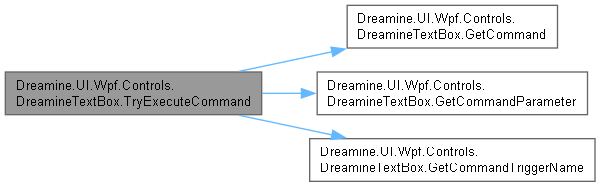
이 함수를 호출하는 함수들에 대한 그래프입니다.:

멤버 데이터 문서화
◆ _previousFocusedElement
|
private |
Enter 키를 누를 때 복귀할 이전 키보드 포커스 요소입니다.
DreamineTextBox.cs 파일의 34 번째 라인에서 정의되었습니다.
다음에 의해서 참조됨 : OnGotKeyboardFocus_StorePreviousFocus(), OnPreviewKeyDown().
◆ CommandParameterProperty
|
static |
초기값:
=
DependencyProperty.RegisterAttached(
"CommandParameter",
typeof(object),
typeof(DreamineTextBox),
new PropertyMetadata(null))
static DreamineTextBox()
Definition DreamineTextBox.cs:44
연결 명령에 전달할 선택적 매개변수를 식별합니다.
DreamineTextBox.cs 파일의 285 번째 라인에서 정의되었습니다.
다음에 의해서 참조됨 : GetCommandParameter(), SetCommandParameter().
◆ CommandProperty
|
static |
초기값:
=
DependencyProperty.RegisterAttached(
"Command",
typeof(ICommand),
typeof(DreamineTextBox),
static void OnCommandChanged(DependencyObject d, DependencyPropertyChangedEventArgs e)
Hooks internal event handlers once when Command changes.
Definition DreamineButton.cs:1368
이벤트가 일치할 때 실행할 연결 명령을 식별합니다.
DreamineTextBox.cs 파일의 270 번째 라인에서 정의되었습니다.
다음에 의해서 참조됨 : GetCommand(), SetCommand().
◆ CommandTriggerNameProperty
|
static |
초기값:
=
DependencyProperty.RegisterAttached(
"CommandTriggerName",
typeof(string),
typeof(DreamineTextBox),
new PropertyMetadata(null))
명령을 실행할 쉼표 구분 이벤트 이름 목록을 식별합니다.
DreamineTextBox.cs 파일의 300 번째 라인에서 정의되었습니다.
다음에 의해서 참조됨 : GetCommandTriggerName(), SetCommandTriggerName().
◆ ErrorProperty
|
static |
초기값:
=
DependencyProperty.Register(nameof(Error), typeof(string), typeof(DreamineTextBox), new PropertyMetadata(string.Empty))
템플릿에 표시할 오류 문자열 종속성 속성을 식별합니다.
DreamineTextBox.cs 파일의 691 번째 라인에서 정의되었습니다.
◆ HintProperty
|
static |
초기값:
=
DependencyProperty.Register(nameof(Hint), typeof(string), typeof(DreamineTextBox), new PropertyMetadata(string.Empty))
자리표시자 문자열 종속성 속성을 식별합니다.
DreamineTextBox.cs 파일의 666 번째 라인에서 정의되었습니다.
속성 문서화
◆ Error
|
getset |
템플릿에 표시할 오류 문자열을 가져오거나 설정합니다.
DreamineTextBox.cs 파일의 702 번째 라인에서 정의되었습니다.
703 {
704 get => (string)GetValue(ErrorProperty);
705 set => SetValue(ErrorProperty, value);
706 }
◆ Hint
|
getset |
입력 안내용 자리표시자 문자열을 가져오거나 설정합니다.
DreamineTextBox.cs 파일의 677 번째 라인에서 정의되었습니다.
678 {
679 get => (string)GetValue(HintProperty);
680 set => SetValue(HintProperty, value);
681 }
이 클래스에 대한 문서화 페이지는 다음의 파일로부터 생성되었습니다.: