로딩중...
검색중...
일치하는것 없음
SampleEnterprise.Events.MainWindowEvent 클래스 참조
Public 멤버 함수 | |
| MainWindowEvent () | |
| void | Ok () |
| void | Cancel () |
| void | SubPage () |
| void | Minimize () |
| void | Maximize () |
| void | Close () |
정적 Private 멤버 함수 | |
| static ? Window | GetActiveWindow () |
Private 속성 | |
| readonly IViewManager | _viewManager |
상세한 설명
Main Window Event 기능과 관련 상태를 캡슐화합니다.
MainWindowEvent.cs 파일의 15 번째 라인에서 정의되었습니다.
생성자 & 소멸자 문서화
◆ MainWindowEvent()
|
inline |
지정한 설정으로 MainWindowEvent 클래스의 새 인스턴스를 초기화합니다.
MainWindowEvent.cs 파일의 34 번째 라인에서 정의되었습니다.
35 {
36 _viewManager = DMContainer.Resolve<IViewManager>();
37 }
다음을 참조함 : _viewManager.
멤버 함수 문서화
◆ Cancel()
|
inline |
◆ Close()
|
inline |
Close 작업을 수행합니다.
MainWindowEvent.cs 파일의 115 번째 라인에서 정의되었습니다.
116 {
117 GetActiveWindow()?.Close();
118 }
다음을 참조함 : GetActiveWindow().
이 함수 내부에서 호출하는 함수들에 대한 그래프입니다.:

◆ GetActiveWindow()
|
inlinestaticprivate |
Active Window 값을 가져옵니다.
- 반환값
- Get Active Window 작업에서 생성한
Window?결과입니다.
MainWindowEvent.cs 파일의 136 번째 라인에서 정의되었습니다.
137 {
138 return Application.Current?.Windows
139 .OfType<Window>()
140 .FirstOrDefault(w => w.IsActive);
141 }
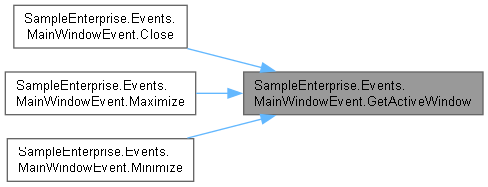
다음에 의해서 참조됨 : Close(), Maximize(), Minimize().
이 함수를 호출하는 함수들에 대한 그래프입니다.:
◆ Maximize()
|
inline |
Maximize 작업을 수행합니다.
MainWindowEvent.cs 파일의 96 번째 라인에서 정의되었습니다.
97 {
98 var w = GetActiveWindow();
99 if (w != null)
100 {
101 w.WindowState = w.WindowState == WindowState.Maximized
102 ? WindowState.Normal
103 : WindowState.Maximized;
104 }
105 }
다음을 참조함 : GetActiveWindow().
이 함수 내부에서 호출하는 함수들에 대한 그래프입니다.:

◆ Minimize()
|
inline |
Minimize 작업을 수행합니다.
MainWindowEvent.cs 파일의 82 번째 라인에서 정의되었습니다.
83 {
84 var w = GetActiveWindow();
85 if (w != null) w.WindowState = WindowState.Minimized;
86 }
다음을 참조함 : GetActiveWindow().
이 함수 내부에서 호출하는 함수들에 대한 그래프입니다.:

◆ Ok()
|
inline |
◆ SubPage()
|
inline |
Sub Page 작업을 수행합니다.
MainWindowEvent.cs 파일의 66 번째 라인에서 정의되었습니다.
67 {
68 var vmType = Type.GetType("SampleEnterprise.ViewModels.PageSub.PageSubViewModel, SampleEnterprise.ViewModels");
69 if (vmType != null)
70 _viewManager.Show(vmType);
71 }
다음을 참조함 : _viewManager.
멤버 데이터 문서화
◆ _viewManager
|
private |
view Manager 값을 보관합니다.
MainWindowEvent.cs 파일의 25 번째 라인에서 정의되었습니다.
다음에 의해서 참조됨 : MainWindowEvent(), SubPage().
이 클래스에 대한 문서화 페이지는 다음의 파일로부터 생성되었습니다.: