로딩중...
검색중...
일치하는것 없음
Sample01.Views.MainWindow 클래스 참조
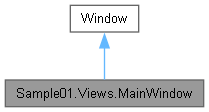
Sample01.Views.MainWindow에 대한 상속 다이어그램 :
Sample01.Views.MainWindow에 대한 협력 다이어그램:
Public 멤버 함수 | |
| MainWindow () | |
Private 멤버 함수 | |
| async void | OnLoaded (object sender, RoutedEventArgs e) |
정적 Private 멤버 함수 | |
| static async Task | NavigateServerAsync (WebView2 webView, string url, int timeoutMs=15000, int intervalMs=500) |
상세한 설명
메인 윈도우입니다.
MainWindow.xaml.cs 파일의 28 번째 라인에서 정의되었습니다.
생성자 & 소멸자 문서화
◆ MainWindow()
|
inline |
지정한 설정으로 MainWindow 클래스의 새 인스턴스를 초기화합니다.
MainWindow.xaml.cs 파일의 38 번째 라인에서 정의되었습니다.
39 {
40 InitializeComponent();
41 if (DesignerProperties.GetIsInDesignMode(this)) return;
42 Loaded += OnLoaded;
43 }
다음을 참조함 : OnLoaded().
이 함수 내부에서 호출하는 함수들에 대한 그래프입니다.:

멤버 함수 문서화
◆ NavigateServerAsync()
|
inlinestaticprivate |
Navigate Server Async 작업을 수행합니다.
- 매개변수
-
webView web View에 사용할 WebView2값입니다.url url에 사용할 string값입니다.timeoutMs timeout Ms에 사용할 int값입니다.intervalMs interval Ms에 사용할 int값입니다.
- 반환값
- Navigate Server Async 작업에서 생성한
Task결과입니다.
MainWindow.xaml.cs 파일의 134 번째 라인에서 정의되었습니다.
135 {
136 try
137 {
138 await Task.Delay(1500);
139
140 using var cts = new CancellationTokenSource(timeoutMs);
141 using var http = new HttpClient();
142 var alive = false;
143
144 while (!cts.IsCancellationRequested)
145 {
146 try
147 {
148 var res = await http.GetAsync(url, cts.Token);
149 if ((int)res.StatusCode >= 200 && (int)res.StatusCode < 400)
150 {
151 alive = true;
152 break;
153 }
154 }
155 catch (HttpRequestException)
156 {
157 // Server may not be ready yet during polling; ignore and retry until timeout.
158 }
159 catch (TaskCanceledException)
160 {
161 // Ignore per-request timeout/cancellation during polling and continue retrying until overall timeout.
162 }
163
164 await Task.Delay(intervalMs, cts.Token);
165 }
166
167 if (!alive)
168 {
169 Debug.WriteLine($"[ServerNav] Timeout: {url}");
170 await HybridWebViewHost.ShowOfflineMessageAsync(webView, url);
171 return;
172 }
173
174 webView.Source = new Uri(url);
175 }
176 catch (TaskCanceledException)
177 {
178 Debug.WriteLine("[ServerNav] Canceled.");
179 }
180 catch (Exception ex)
181 {
182 Debug.WriteLine($"[ServerNav] {ex}");
183 }
184 }
다음에 의해서 참조됨 : OnLoaded().
이 함수를 호출하는 함수들에 대한 그래프입니다.:

◆ OnLoaded()
|
inlineprivate |
Loaded 이벤트 또는 상태 변경을 처리합니다.
- 매개변수
-
sender 이벤트를 발생시킨 객체입니다. e 이벤트와 관련된 데이터를 포함합니다.
MainWindow.xaml.cs 파일의 69 번째 라인에서 정의되었습니다.
70 {
71 var hybrid = new HybridHostControl
72 {
73 HostPage = "wwwroot/index.html",
74 Services = App.ServiceProvider,
75 RootComponentType = typeof(LocalCounter),
76 RootSelector = "#app"
77 };
78 EmbeddedTab.Content = hybrid;
79
80 var webView = HybridWebViewHost.CreateWebView();
81 ServerTab.Content = webView;
82
83 await NavigateServerAsync(webView, "http://localhost:5000");
84 }
다음을 참조함 : NavigateServerAsync(), Sample01.App.ServiceProvider.
다음에 의해서 참조됨 : MainWindow().
이 함수 내부에서 호출하는 함수들에 대한 그래프입니다.:

이 함수를 호출하는 함수들에 대한 그래프입니다.:

이 클래스에 대한 문서화 페이지는 다음의 파일로부터 생성되었습니다.: