로딩중...
검색중...
일치하는것 없음
Dreamine.UI.Wpf.Equipment.DreamineVirtualKeyboard.Key 클래스 참조
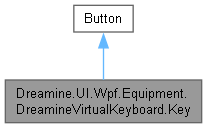
Dreamine.UI.Wpf.Equipment.DreamineVirtualKeyboard.Key에 대한 상속 다이어그램 :
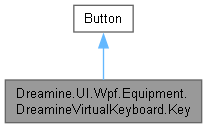
Dreamine.UI.Wpf.Equipment.DreamineVirtualKeyboard.Key에 대한 협력 다이어그램:
Public 멤버 함수 | |
| void | UpdateKey (bool shift, bool capsLock, LanguageCode languageCode, bool imeMode) |
| string | GetDisplayText (bool shift, bool capsLock, LanguageCode languageCode, bool imeMode) |
| Key () | |
정적 Public 속성 | |
| static readonly new DependencyProperty | IsPressedProperty |
| static readonly DependencyProperty | KeyCodeProperty |
속성 | |
| new bool | IsPressed [get, set] |
| KeyCode | KeyCode [get, set] |
Private 멤버 함수 | |
| string | GetKeyData (LanguageCode language) |
정적 Private 멤버 함수 | |
| static | Key () |
| static void | MappingKeys () |
Private 속성 | |
| string | |
정적 Private 속성 | |
| static Dictionary< KeyCode, KeyData > | _dicKeyData = new() |
상세한 설명
생성자 & 소멸자 문서화
◆ Key() [1/2]
|
inlinestaticprivate |
모든 지원 키 코드의 표시 문자 매핑을 초기화합니다.
Key.cs 파일의 245 번째 라인에서 정의되었습니다.
246 {
247 MappingKeys();
248 }
다음을 참조함 : MappingKeys().
이 함수 내부에서 호출하는 함수들에 대한 그래프입니다.:

◆ Key() [2/2]
|
inline |
멤버 함수 문서화
◆ GetDisplayText()
|
inline |
현재 키와 입력 상태에 사용할 표시 문자열을 계산합니다.
- 매개변수
-
shift Shift 활성 상태입니다. capsLock Caps Lock 활성 상태입니다. languageCode 표시 언어입니다. imeMode IME 언어 매핑을 적용하려면 true입니다.
- 반환값
- 상태에 맞는 표시 문자열이며 매핑이 없으면 빈 문자열입니다.
Key.cs 파일의 189 번째 라인에서 정의되었습니다.
190 {
191 if (!_dicKeyData.TryGetValue(KeyCode, out var keyData))
192 return string.Empty;
193
194 var (displayKey, displayShiftKey) = GetKeyData(imeMode ? languageCode : LanguageCode.en_US);
195
196 if (KeyCode >= KeyCode.VcA && KeyCode <= KeyCode.VcZ)
197 {
198 if (shift && !capsLock)
199 {
200 if (!string.IsNullOrEmpty(displayShiftKey))
201 {
202 displayKey = displayShiftKey.ToUpper();
203 }
204 else
205 {
206 displayKey = displayKey.ToUpper();
207 }
208 }
209 else if (!shift && capsLock)
210 {
211 displayKey = displayKey.ToUpper();
212 }
213 else if (shift && capsLock)
214 {
215 if (!string.IsNullOrEmpty(displayShiftKey))
216 {
217 displayKey = displayShiftKey.ToLower();
218 }
219 else
220 {
221 displayKey = displayKey.ToLower();
222 }
223 }
224 }
225 else if (shift && !string.IsNullOrEmpty(keyData.ShiftKey))
226 {
227 displayKey = keyData.ShiftKey;
228 }
229
230 return displayKey;
231 }
다음을 참조함 : _dicKeyData, GetKeyData(), KeyCode.
다음에 의해서 참조됨 : Dreamine.UI.Wpf.Equipment.DreamineVirtualKeyboard.DreamineVirtualKeyboard.TryHandleComposedTextKey(), UpdateKey().
이 함수 내부에서 호출하는 함수들에 대한 그래프입니다.:

이 함수를 호출하는 함수들에 대한 그래프입니다.:

◆ GetKeyData()
|
inlineprivate |
Key.cs 파일의 301 번째 라인에서 정의되었습니다.
302 {
303 var keyData = _dicKeyData[KeyCode];
304
305 var key = language switch
306 {
307 LanguageCode.en_US => keyData.DefaultKey,
308 LanguageCode.ko_KR => keyData.KorKey,
309 LanguageCode.zh_CN => keyData.ChnKey,
310 _ => keyData.DefaultKey
311 };
312
313 var shiftKey = language switch
314 {
315 LanguageCode.en_US => keyData.ShiftKey,
316 LanguageCode.ko_KR => keyData.KorShiftKey,
317 LanguageCode.zh_CN => keyData.ChnShiftKey,
318 _ => keyData.ShiftKey
319 };
320
321 if (string.IsNullOrEmpty(key))
322 {
323 key = keyData.DefaultKey;
324 }
325
326 return (key, shiftKey);
327 }
다음을 참조함 : _dicKeyData, KeyCode, string.
다음에 의해서 참조됨 : GetDisplayText().
이 함수를 호출하는 함수들에 대한 그래프입니다.:

◆ MappingKeys()
|
inlinestaticprivate |
지원하는 문자·기능·숫자 패드·화살표 키의 표시 매핑을 다시 구성합니다.
Key.cs 파일의 337 번째 라인에서 정의되었습니다.
338 {
339 _dicKeyData = new()
340 {
341 { KeyCode.Vc1, new(defaultKey: "1", shiftKey: "!" ) },
342 { KeyCode.Vc2, new(defaultKey: "2", shiftKey: "@" ) },
343 { KeyCode.Vc3, new(defaultKey: "3", shiftKey: "#" ) },
344 { KeyCode.Vc4, new(defaultKey: "4", shiftKey: "$" ) },
345 { KeyCode.Vc5, new(defaultKey: "5", shiftKey: "%" ) },
346 { KeyCode.Vc6, new(defaultKey: "6", shiftKey: "^" ) },
347 { KeyCode.Vc7, new(defaultKey: "7", shiftKey: "&" ) },
348 { KeyCode.Vc8, new(defaultKey: "8", shiftKey: "*" ) },
349 { KeyCode.Vc9, new(defaultKey: "9", shiftKey: "(" ) },
350 { KeyCode.Vc0, new(defaultKey: "0", shiftKey: ")" ) },
351
352 { KeyCode.VcA, new(defaultKey: "a", korKey: "ㅁ", chnKey: "日") },
353 { KeyCode.VcB, new(defaultKey: "b", korKey: "ㅠ", chnKey: "月") },
354 { KeyCode.VcC, new(defaultKey: "c", korKey: "ㅊ", chnKey: "金") },
355 { KeyCode.VcD, new(defaultKey: "d", korKey: "ㅇ", chnKey: "木") },
356 { KeyCode.VcE, new(defaultKey: "e", korKey: "ㄷ", korShiftKey: "ㄸ", chnKey: "水") },
357 { KeyCode.VcF, new(defaultKey: "f", korKey: "ㄹ", chnKey: "火") },
358 { KeyCode.VcG, new(defaultKey: "g", korKey: "ㅎ", chnKey: "土") },
359 { KeyCode.VcH, new(defaultKey: "h", korKey: "ㅗ", chnKey: "竹") },
360 { KeyCode.VcI, new(defaultKey: "i", korKey: "ㅑ", chnKey: "戈") },
361 { KeyCode.VcJ, new(defaultKey: "j", korKey: "ㅓ", chnKey: "十") },
362 { KeyCode.VcK, new(defaultKey: "k", korKey: "ㅏ", chnKey: "大") },
363 { KeyCode.VcL, new(defaultKey: "l", korKey: "ㅣ", chnKey: "中") },
364 { KeyCode.VcM, new(defaultKey: "m", korKey: "ㅡ", chnKey: "一") },
365 { KeyCode.VcN, new(defaultKey: "n", korKey: "ㅜ", chnKey: "弓") },
366 { KeyCode.VcO, new(defaultKey: "o", korKey: "ㅐ", korShiftKey: "ㅒ", chnKey: "人") },
367 { KeyCode.VcP, new(defaultKey: "p", korKey: "ㅔ", korShiftKey : "ㅖ", chnKey: "心") },
368 { KeyCode.VcQ, new(defaultKey: "q", korKey: "ㅂ", korShiftKey : "ㅃ", chnKey: "手") },
369 { KeyCode.VcR, new(defaultKey: "r", korKey: "ㄱ", korShiftKey : "ㄲ", chnKey: "口") },
370 { KeyCode.VcS, new(defaultKey: "s", korKey: "ㄴ", chnKey: "戶") },
371 { KeyCode.VcT, new(defaultKey: "t", korKey: "ㅅ", korShiftKey: "ㅆ", chnKey: "甘") },
372 { KeyCode.VcU, new(defaultKey: "u", korKey: "ㅕ", chnKey: "山") },
373 { KeyCode.VcV, new(defaultKey: "v", korKey: "ㅍ", chnKey: "女") },
374 { KeyCode.VcW, new(defaultKey: "w", korKey: "ㅈ", korShiftKey: "ㅉ", chnKey: "田") },
375 { KeyCode.VcX, new(defaultKey: "x", korKey: "ㅌ", chnKey: "難") },
376 { KeyCode.VcY, new(defaultKey: "y", korKey: "ㅛ", chnKey: "卜") },
377 { KeyCode.VcZ, new(defaultKey: "z", korKey: "ㅋ", chnKey: "重") },
378
379 { KeyCode.VcBackQuote, new(defaultKey: "`", shiftKey: "~") },
380 { KeyCode.VcMinus, new(defaultKey: "-", shiftKey: "_") },
381 { KeyCode.VcEquals, new(defaultKey: "=", shiftKey: "+") },
382 { KeyCode.VcBackspace, new(defaultKey: "Backspace") },
383 { KeyCode.VcTab, new(defaultKey: "Tab") },
384 { KeyCode.VcOpenBracket, new(defaultKey: "[", shiftKey: "{") },
385 { KeyCode.VcCloseBracket, new(defaultKey: "]", shiftKey: "}") },
386 { KeyCode.VcBackslash, new(defaultKey: "\\", shiftKey: "|") },
387 { KeyCode.VcCapsLock, new(defaultKey: "Caps Lock") },
388 { KeyCode.VcSemicolon, new(defaultKey: ";", shiftKey: ":") },
389 { KeyCode.VcQuote, new(defaultKey: "'", shiftKey: "″") },
390 { KeyCode.VcEnter, new(defaultKey: "Enter") },
391 { KeyCode.VcLeftShift, new(defaultKey: "Shift") },
392 { KeyCode.VcComma, new(defaultKey: ",", shiftKey: "<") },
393 { KeyCode.VcPeriod, new(defaultKey: ".", shiftKey: ">") },
394 { KeyCode.VcSlash, new(defaultKey: "/", shiftKey: "?") },
395 { KeyCode.VcSpace, new(defaultKey: "Space")},
396 { KeyCode.VcRightAlt, new(defaultKey: "Alt")},
397 { KeyCode.VcLeftControl, new(defaultKey: "Ctrl")},
398 { KeyCode.VcEscape, new(defaultKey: "Esc")},
399
400 // NumPad
401 { KeyCode.VcNumPad0, new(defaultKey: "0") },
402 { KeyCode.VcNumPad1, new(defaultKey: "1") },
403 { KeyCode.VcNumPad2, new(defaultKey: "2") },
404 { KeyCode.VcNumPad3, new(defaultKey: "3") },
405 { KeyCode.VcNumPad4, new(defaultKey: "4") },
406 { KeyCode.VcNumPad5, new(defaultKey: "5") },
407 { KeyCode.VcNumPad6, new(defaultKey: "6") },
408 { KeyCode.VcNumPad7, new(defaultKey: "7") },
409 { KeyCode.VcNumPad8, new(defaultKey: "8") },
410 { KeyCode.VcNumPad9, new(defaultKey: "9") },
411
412 // Arrow
413 { KeyCode.VcLeft, new(defaultKey: "◀") },
414 { KeyCode.VcRight, new(defaultKey: "▶") },
415 };
416 }
다음을 참조함 : _dicKeyData, KeyCode.
다음에 의해서 참조됨 : Key().
이 함수를 호출하는 함수들에 대한 그래프입니다.:

◆ UpdateKey()
|
inline |
Shift·Caps Lock·언어·IME 상태에 맞는 표시 문자로 버튼 콘텐츠를 갱신합니다.
- 매개변수
-
shift Shift 활성 상태입니다. capsLock Caps Lock 활성 상태입니다. languageCode 표시 언어입니다. imeMode IME 언어 표시를 사용하려면 true입니다.
Key.cs 파일의 134 번째 라인에서 정의되었습니다.
135 {
136 if (!_dicKeyData.TryGetValue(KeyCode, out var keyData)) return;
137
138 Content = GetDisplayText(shift, capsLock, languageCode, imeMode);
139 }
다음을 참조함 : _dicKeyData, GetDisplayText(), KeyCode.
이 함수 내부에서 호출하는 함수들에 대한 그래프입니다.:

멤버 데이터 문서화
◆ _dicKeyData
|
staticprivate |
키 코드별 기본·Shift·언어별 표시 문자 매핑을 보관합니다.
Key.cs 파일의 28 번째 라인에서 정의되었습니다.
다음에 의해서 참조됨 : GetDisplayText(), GetKeyData(), MappingKeys(), UpdateKey().
◆ IsPressedProperty
|
static |
◆ KeyCodeProperty
|
static |
◆ string
|
private |
지정한 언어에 해당하는 기본 및 Shift 표시 문자를 가져옵니다.
- 매개변수
-
language 조회할 언어입니다.
- 반환값
- 기본 표시 문자와 Shift 표시 문자 쌍입니다.
- 예외
-
KeyNotFoundException 현재 KeyCode에 대한 매핑이 없을 때 발생합니다.
Key.cs 파일의 301 번째 라인에서 정의되었습니다.
다음에 의해서 참조됨 : GetKeyData().
속성 문서화
◆ IsPressed
|
getset |
◆ KeyCode
|
getset |
버튼이 나타내는 네이티브 키 코드를 가져오거나 설정합니다.
Key.cs 파일의 86 번째 라인에서 정의되었습니다.
87 {
88 get { return (KeyCode)GetValue(KeyCodeProperty); }
89 set { SetValue(KeyCodeProperty, value); }
90 }
다음에 의해서 참조됨 : GetDisplayText(), GetKeyData(), MappingKeys(), Dreamine.UI.Wpf.Equipment.DreamineVirtualKeyboard.DreamineVirtualKeyboard.SimulateCharKey(), Dreamine.UI.Wpf.Equipment.DreamineVirtualKeyboard.DreamineVirtualKeyboard.TryHandleComposedTextKey(), UpdateKey().
이 클래스에 대한 문서화 페이지는 다음의 파일로부터 생성되었습니다.: