로딩중...
검색중...
일치하는것 없음
Dreamine.UI.WinForms.Controls.DreamineListBox 클래스 참조
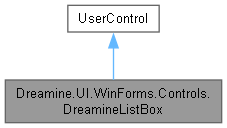
Dreamine.UI.WinForms.Controls.DreamineListBox에 대한 상속 다이어그램 :
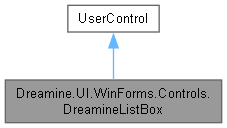
Dreamine.UI.WinForms.Controls.DreamineListBox에 대한 협력 다이어그램:
Public 멤버 함수 | |
| DreamineListBox () | |
| void | NotifyItemAdded () |
Protected 멤버 함수 | |
| override void | OnPaint (PaintEventArgs e) |
속성 | |
| ListBox.ObjectCollection | Items [get] |
| object? | SelectedItem [get, set] |
| int | SelectedIndex [get, set] |
| object? | DataSource [get, set] |
| override Color | ForeColor [get, set] |
| new Font | Font [get, set] |
| bool | AutoScrollToEnd [get, set] |
| override Size | DefaultSize [get] |
이벤트 | |
| EventHandler? | SelectedIndexChanged |
| new? MouseEventHandler | DoubleClick [add, remove] |
Private 속성 | |
| readonly ListBox | _inner |
| bool | _isFocused |
상세한 설명
내부 ListBox에 다크 테마, 포커스 테두리 및 자동 스크롤을 추가한 WinForms 래퍼입니다.
DreamineListBox.cs 파일의 14 번째 라인에서 정의되었습니다.
생성자 & 소멸자 문서화
◆ DreamineListBox()
|
inline |
내부 목록, 이벤트 전달 및 Dreamine 테마 기본값을 구성합니다.
DreamineListBox.cs 파일의 156 번째 라인에서 정의되었습니다.
157 {
158 _inner = new ListBox
159 {
160 BorderStyle = BorderStyle.None,
161 // IntegralHeight=true(기본값)면 마지막 줄이 잘릴 때 빈 띠를 남겨버려서
162 // Dock=Fill로 크기를 강제로 맞추는 우리 사용 패턴과 충돌한다.
163 IntegralHeight = false,
164 BackColor = DreamineTheme.InputBackground,
165 ForeColor = DreamineTheme.TextPrimary,
166 Font = new Font("Segoe UI", 10f, FontStyle.Regular, GraphicsUnit.Point),
167 Dock = DockStyle.Fill,
168 };
169
170 _inner.GotFocus += (_, _) => { _isFocused = true; Invalidate(); };
171 _inner.LostFocus += (_, _) => { _isFocused = false; Invalidate(); };
172 _inner.SelectedIndexChanged += (s, e) =>
173 {
174 SelectedIndexChanged?.Invoke(this, e);
175 if (AutoScrollToEnd && _inner.Items.Count > 0)
176 _inner.TopIndex = _inner.Items.Count - 1;
177 };
178
179 SetStyle(
180 ControlStyles.AllPaintingInWmPaint |
181 ControlStyles.UserPaint |
182 ControlStyles.DoubleBuffer |
183 ControlStyles.ResizeRedraw, true);
184
185 BackColor = DreamineTheme.InputBackground;
186 ForeColor = DreamineTheme.TextPrimary;
187 Font = _inner.Font;
188 Padding = new Padding(2);
189
190 Controls.Add(_inner);
191 }
다음을 참조함 : _inner, _isFocused, AutoScrollToEnd, Font, ForeColor, Dreamine.UI.WinForms.DreamineTheme.InputBackground, SelectedIndexChanged, Dreamine.UI.WinForms.DreamineTheme.TextPrimary.
멤버 함수 문서화
◆ NotifyItemAdded()
|
inline |
항목 추가 후 자동 스크롤이 활성화되어 있으면 목록 끝으로 이동합니다.
DreamineListBox.cs 파일의 201 번째 라인에서 정의되었습니다.
202 {
203 if (AutoScrollToEnd && _inner.Items.Count > 0)
204 _inner.TopIndex = _inner.Items.Count - 1;
205 }
다음을 참조함 : _inner, AutoScrollToEnd.
◆ OnPaint()
|
inlineprotected |
현재 포커스 상태에 맞게 둥근 배경과 테두리를 그립니다.
- 매개변수
-
e 컨트롤 그리기 이벤트 인수입니다.
DreamineListBox.cs 파일의 223 번째 라인에서 정의되었습니다.
224 {
225 var g = e.Graphics;
226 var rect = new Rectangle(0, 0, Width - 1, Height - 1);
227 using var bgBrush = new SolidBrush(BackColor);
228 var borderColor = _isFocused ? DreamineTheme.BorderFocus : DreamineTheme.BorderNormal;
229 using var pen = new Pen(borderColor, 1.5f);
230 DreamineDrawHelper.FillRoundedRect(g, bgBrush, pen, rect, DreamineTheme.CornerRadiusSmall);
231 }
다음을 참조함 : _isFocused, Dreamine.UI.WinForms.DreamineTheme.BorderFocus, Dreamine.UI.WinForms.DreamineTheme.BorderNormal, Dreamine.UI.WinForms.DreamineTheme.CornerRadiusSmall, Dreamine.UI.WinForms.DreamineDrawHelper.FillRoundedRect().
이 함수 내부에서 호출하는 함수들에 대한 그래프입니다.:

멤버 데이터 문서화
◆ _inner
|
private |
inner 값을 보관합니다.
DreamineListBox.cs 파일의 24 번째 라인에서 정의되었습니다.
다음에 의해서 참조됨 : DreamineListBox(), NotifyItemAdded().
◆ _isFocused
|
private |
is Focused 값을 보관합니다.
DreamineListBox.cs 파일의 33 번째 라인에서 정의되었습니다.
다음에 의해서 참조됨 : DreamineListBox(), OnPaint().
속성 문서화
◆ AutoScrollToEnd
|
getset |
새 항목 알림 또는 선택 변경 후 목록 끝으로 자동 스크롤할지 여부를 가져오거나 설정합니다.
DreamineListBox.cs 파일의 146 번째 라인에서 정의되었습니다.
146{ get; set; }
다음에 의해서 참조됨 : DreamineListBox(), NotifyItemAdded().
◆ DataSource
|
getset |
내부 목록의 데이터 원본을 가져오거나 설정합니다.
DreamineListBox.cs 파일의 81 번째 라인에서 정의되었습니다.
82 {
83 get => _inner.DataSource;
84 set => _inner.DataSource = value;
85 }
◆ DefaultSize
|
getprotected |
목록 래퍼의 기본 크기를 가져옵니다.
DreamineListBox.cs 파일의 241 번째 라인에서 정의되었습니다.
◆ Font
|
getset |
래퍼와 내부 목록의 글꼴을 가져오거나 설정합니다.
DreamineListBox.cs 파일의 109 번째 라인에서 정의되었습니다.
110 {
111 get => base.Font;
112 set { base.Font = value; _inner.Font = value; }
113 }
다음에 의해서 참조됨 : DreamineListBox().
◆ ForeColor
|
getset |
래퍼와 내부 목록의 전경색을 가져오거나 설정합니다.
DreamineListBox.cs 파일의 95 번째 라인에서 정의되었습니다.
96 {
97 get => base.ForeColor;
98 set { base.ForeColor = value; _inner.ForeColor = value; }
99 }
다음에 의해서 참조됨 : DreamineListBox().
◆ Items
|
get |
내부 목록의 항목 컬렉션을 가져옵니다.
DreamineListBox.cs 파일의 43 번째 라인에서 정의되었습니다.
◆ SelectedIndex
|
getset |
현재 선택한 항목의 인덱스를 가져오거나 설정합니다.
DreamineListBox.cs 파일의 67 번째 라인에서 정의되었습니다.
68 {
69 get => _inner.SelectedIndex;
70 set => _inner.SelectedIndex = value;
71 }
◆ SelectedItem
|
getset |
현재 선택한 항목을 가져오거나 설정합니다.
DreamineListBox.cs 파일의 53 번째 라인에서 정의되었습니다.
54 {
55 get => _inner.SelectedItem;
56 set => _inner.SelectedItem = value;
57 }
이벤트 문서화
◆ DoubleClick
|
addremove |
내부 목록 항목을 마우스로 두 번 클릭할 때 발생합니다.
DreamineListBox.cs 파일의 132 번째 라인에서 정의되었습니다.
133 {
134 add => _inner.MouseDoubleClick += value;
135 remove => _inner.MouseDoubleClick -= value;
136 }
◆ SelectedIndexChanged
| EventHandler? Dreamine.UI.WinForms.Controls.DreamineListBox.SelectedIndexChanged |
내부 목록의 선택 인덱스가 변경될 때 발생합니다.
DreamineListBox.cs 파일의 123 번째 라인에서 정의되었습니다.
다음에 의해서 참조됨 : DreamineListBox().
이 클래스에 대한 문서화 페이지는 다음의 파일로부터 생성되었습니다.: