로딩중...
검색중...
일치하는것 없음
Dreamine.Communication.Wpf.Models.CommunicationChannelViewItem 클래스 참조sealed
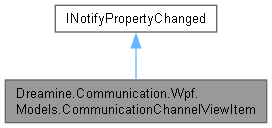
Dreamine.Communication.Wpf.Models.CommunicationChannelViewItem에 대한 상속 다이어그램 :
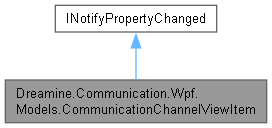
Dreamine.Communication.Wpf.Models.CommunicationChannelViewItem에 대한 협력 다이어그램:
속성 | |
| string | Name [get, set] |
| TransportKind | Kind [get, set] |
| ConnectionState | State [get, set] |
| string | Description [get, set] |
이벤트 | |
| PropertyChangedEventHandler? | PropertyChanged |
Private 멤버 함수 | |
| void | SetProperty< T > (ref T storage, T value, [CallerMemberName] string? propertyName=null) |
Private 속성 | |
| string | _name = string.Empty |
| TransportKind | _kind |
| ConnectionState | _state = ConnectionState.Disconnected |
| string | _description = string.Empty |
상세한 설명
WPF 화면에 표시할 통신 채널의 이름, 전송 방식, 상태 및 설명을 보관합니다.
CommunicationChannelViewItem.cs 파일의 15 번째 라인에서 정의되었습니다.
멤버 함수 문서화
◆ SetProperty< T >()
|
inlineprivate |
값이 실제로 변경된 경우에만 저장소를 갱신하고 속성 변경 이벤트를 발생시킵니다.
- 템플릿 파라메터
-
T 속성 값 형식입니다.
- 매개변수
-
storage 속성의 후방 저장소입니다. value 설정할 새 값입니다. propertyName 변경된 속성 이름입니다.
CommunicationChannelViewItem.cs 파일의 160 번째 라인에서 정의되었습니다.
164 {
165 if (EqualityComparer<T>.Default.Equals(storage, value))
166 {
167 return;
168 }
169
170 storage = value;
171 PropertyChanged?.Invoke(this, new PropertyChangedEventArgs(propertyName));
172 }
다음을 참조함 : PropertyChanged.
멤버 데이터 문서화
◆ _description
|
private |
description 값을 보관합니다.
CommunicationChannelViewItem.cs 파일의 52 번째 라인에서 정의되었습니다.
◆ _kind
|
private |
kind 값을 보관합니다.
CommunicationChannelViewItem.cs 파일의 34 번째 라인에서 정의되었습니다.
◆ _name
|
private |
name 값을 보관합니다.
CommunicationChannelViewItem.cs 파일의 25 번째 라인에서 정의되었습니다.
◆ _state
|
private |
state 값을 보관합니다.
CommunicationChannelViewItem.cs 파일의 43 번째 라인에서 정의되었습니다.
속성 문서화
◆ Description
|
getset |
채널 설명을 가져오거나 설정합니다.
CommunicationChannelViewItem.cs 파일의 114 번째 라인에서 정의되었습니다.
115 {
116 get => _description;
117 set => SetProperty(ref _description, value);
118 }
◆ Kind
|
getset |
채널의 전송 방식을 가져오거나 설정합니다.
CommunicationChannelViewItem.cs 파일의 86 번째 라인에서 정의되었습니다.
87 {
88 get => _kind;
89 set => SetProperty(ref _kind, value);
90 }
◆ Name
|
getset |
채널 표시 이름을 가져오거나 설정합니다.
CommunicationChannelViewItem.cs 파일의 72 번째 라인에서 정의되었습니다.
73 {
74 get => _name;
75 set => SetProperty(ref _name, value);
76 }
◆ State
|
getset |
채널의 현재 연결 상태를 가져오거나 설정합니다.
CommunicationChannelViewItem.cs 파일의 100 번째 라인에서 정의되었습니다.
101 {
102 get => _state;
103 set => SetProperty(ref _state, value);
104 }
이벤트 문서화
◆ PropertyChanged
| PropertyChangedEventHandler? Dreamine.Communication.Wpf.Models.CommunicationChannelViewItem.PropertyChanged |
바인딩된 속성 값이 변경될 때 발생합니다.
CommunicationChannelViewItem.cs 파일의 62 번째 라인에서 정의되었습니다.
다음에 의해서 참조됨 : SetProperty< T >().
이 클래스에 대한 문서화 페이지는 다음의 파일로부터 생성되었습니다.: